How to Host a Virtual Escape Room Night

- £8.99 — buy once, replay forever
- Any device, instant access
- Solo or as a group over Zoom
- No app or download
Getting friends, family or workmates together is harder than it should be these days, especially when everyone lives in a different town. A virtual escape room night sorts that out nicely. With a bit of planning you can run a cracking evening of puzzles, laughs and last-second breakthroughs without anyone leaving the sofa. Here's exactly how we'd go about it, step by step.
What you need to host a virtual escape room night
Honestly, you need far less than you'd think. There's no app to install and nothing for us to post out to you. Everyone just needs a device with a browser and an internet connection, plus one person to run the show.
- An escape room to play. With us, you buy a room once for £8.99 and replay it forever, so host as many nights as you fancy.
- A video call so everyone can see and hear each other. Most folk use Zoom and it does the job well.
- A laptop or computer for the host to share their screen. Players can join on phones and tablets no problem, but the host has an easier time on a bigger screen.
- A quiet spot and an hour or so where you won't be interrupted.
That's really all there is to it. Our rooms run in any browser on any device, so nobody has to download a thing, and you'll get access the moment you've bought your room.
Step 1: Choose your room
Pick a room that fits your lot. Have a think about the mood you're after and how happy your players are with puzzles. Have a browse through our escape rooms to compare the themes and difficulty, then pick one that suits the night you've got in mind. Something lighter and a bit playful is lovely for a mixed group of all ages, while a tougher mystery will keep the seasoned puzzlers happy.
If it's your first time hosting, we'd say play through the room on your own first. You don't need to memorise the answers, but knowing how it all flows helps you keep things ticking along and step in with a gentle nudge if everyone gets stuck.
Step 2: Set up the video call
Get your Zoom call in the diary and send the link round in advance. Ask people to hop on a few minutes early so any camera or microphone gremlins are sorted before you start. A quick natter beforehand settles the nerves too, and gets everyone in the mood.
As the host, open your escape room in one browser tab and keep your video call running next to it. Have the room ready to go, but don't press start until the whole group has arrived and can see your screen clearly.
Step 3: Share your screen
Screen sharing is what makes the whole thing work. You drive the room as host, and everyone else watches, spots clues and shouts out their ideas.
In Zoom, click the green Share Screen button at the bottom of the call, pick the browser window with your escape room in it, and tick Share sound if your room has audio or video. Share that one window rather than your whole desktop, that way any private tabs and messages stay hidden. Now your players can follow every move as it happens.
Step 4: Invite people across households
One of our favourite things about playing online is that it doesn't matter where anyone is. Since everyone's on the same video call, you can play solo or as a group over Zoom across different households, so grandparents, old uni mates and colleagues halfway across the country can all team up on the same puzzle.
Send round the date, the Zoom link and a friendly note on how long the evening's likely to take. Nobody else needs to buy anything. You just share your screen and the whole group plays together from the one purchase.
Step 5: Decide on roles
A bit of structure keeps everyone in the game and stops the loudest voice taking over. Nothing formal needed, but a few light roles work a treat.
The host
Drives the screen, reads clues out and keeps the pace up. The best hosts listen to the group rather than trying to solve everything themselves.
The note-taker
Jots down codes, symbols and half-baked ideas so nothing slips through the net. This one's brilliant for quieter players who like to chip in without being in the spotlight.
The detectives
Everyone else hunts for clues, tests theories and makes the leaps that crack each puzzle. Get people thinking out loud so ideas bounce around the group.
Step 6: Timing and pacing
Most virtual escape room nights sit comfortably between an hour and ninety minutes. Leave a little extra at the start for everyone to settle in, and at the end for a chat about the best bits.
If your group races through the puzzles, you can always line up a second room for the same night. And because your rooms are yours to keep forever, there's no rush at all. You can pause, regroup and pick things up another evening if you'd rather.
Tips to keep everyone involved
- Read clues aloud so players on smaller screens never feel left out.
- Bring the quieter ones in by asking for a theory now and then, instead of letting one person run the whole thing.
- Celebrate the small wins. Every solved puzzle deserves a cheer, and that momentum keeps the energy up.
- Use a hint if you need one, just sparingly, so nobody gets frustrated when the group stalls.
- Mind your mute button so the room audio comes through clearly when it matters.
Hosting for bigger groups and teams
The same approach works lovely scaled up for parties, family get-togethers and work socials. For bigger numbers it can help to split into smaller teams, each on their own call, all racing the same room. If you're putting on something for a larger crowd or a company do, our group bookings make it dead simple to set up a night people will remember.
We've had more than 30,000 players since 2020 and we're sitting at an average of 4.8 out of 5, and our rooms are built to bring people together. Pick a room, share your screen, and let the puzzles do the rest.
Frequently asked questions
What do I need to host a virtual escape room night?
You'll need a device with a browser, an internet connection and a video call like Zoom so everyone can see and hear each other. As the host, you also buy a room, which is £8.99 and yours to replay forever.
There's no app to download and nothing for us to post out. You'll get access straight away, and you simply share your screen so the whole group can play from one purchase.
How do I share my screen on Zoom for the game?
Open your escape room in a browser tab, then in Zoom click the green Share Screen button, pick that browser window and tick Share sound if your room has audio. Sharing the one window rather than your whole desktop keeps your other tabs private.
Once you're sharing, every player can follow the puzzles as they happen and call out clues as you go.
How long does a virtual escape room night take?
Most nights sit comfortably between an hour and ninety minutes, plus a few extra minutes at the start to get everyone settled and at the end for a chat.
If your group finishes quickly, you can play a second room the same evening, or save it for another night since your rooms are yours to keep forever.
What group size works best?
Groups of around four to six players tend to work best, so there's plenty for everyone to do without anyone being left out. You can absolutely play solo too, and bigger groups work well if you split into smaller teams.
Because everyone's on the same video call, players can join from different households, so distance is never a problem.
Do all my guests need to buy the escape room?
Nope. Only you, the host, needs to buy the room for £8.99. You share your screen over Zoom and the whole group plays together from that one purchase.
Since you can replay forever, you can host as many nights with as many different people as you like.
Can people in different homes play together?
Yes. Everyone joins the same video call, so you can play solo or as a group over Zoom across different households. Friends, family and colleagues anywhere can team up on the same puzzles.
As long as each person has a browser and an internet connection, they can join in from any device, straight away.
Explore our escape rooms
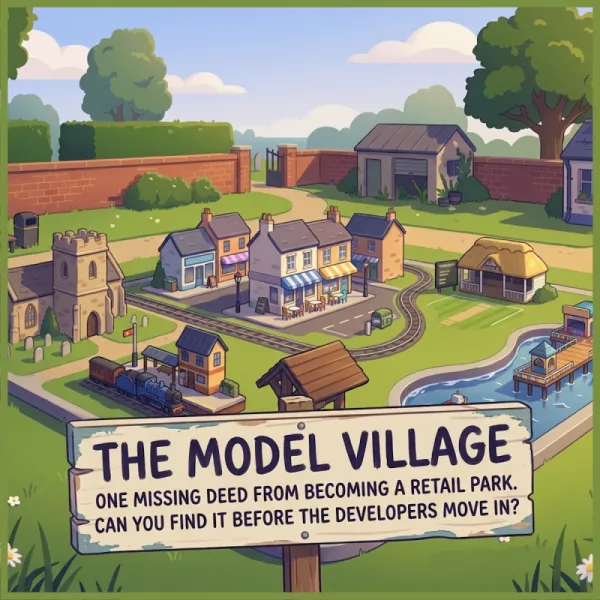
The Model Village
Great-uncle Reg's model village is one missing document away from becoming a retail park. The deeds were hidden in 1962... and the miniature knows where.
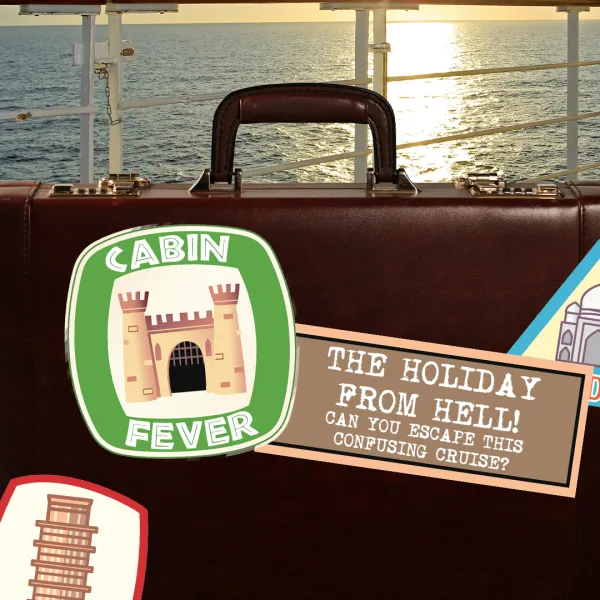
Cabin Fever
You wake up on a cruise ship as the only passengers. Solve the puzzles to make your way through the ship and get yourself back on dry land!

The Missing
Four missing people have disappeared in mysterious circumstances. You and your team must find out what happened to them whilst avoiding suffering the same fate!
Part of our guide to Virtual Escape Rooms for Teams & Groups.