Virtual Christmas Party Ideas to Play Online

- £8.99 — buy once, replay forever
- Any device, instant access
- Solo or as a group over Zoom
- No app or download
So your team, your mates or the family are scattered across different houses this December. That doesn't mean the festive fun has to wait until you're all in the same room. With a bit of planning and the right activities, an ordinary video call turns into a proper party, with plenty of laughter, a bit of friendly rivalry and the odd Christmas jumper thrown in. Here are the virtual Christmas party ideas we keep coming back to, all of them built to play online over Zoom no matter where everyone's sitting.
The best virtual Christmas party ideas
A good online get-together comes down to a mix of things that get people chatting, working together and having a giggle. These are the ones we recommend time and again, starting with the activity we'd build the whole evening around.
1. Play an online escape room together
If you want one thing that instantly turns a video call into an event, it's hard to top an online escape room. Everyone joins the same call over Zoom, puts their heads together to crack the puzzles and tries to escape before the clock runs out. It's about teamwork rather than beating each other, so the quieter folk get just as stuck in as the loud ones, and there's a proper buzz when that final lock clicks open.
Our online escape rooms run right in any browser, so there's nothing to download and no app to install. You buy a room once and replay it as often as you fancy, which keeps things kind on the budget if you've got a big crowd or want to do it again next December. Got a larger team? Our group bookings make it easy to split everyone into smaller squads so nobody's left watching from the sidelines.
2. Host a festive quiz
A Christmas quiz is a classic for a reason. Throw together a few rounds on festive films, Christmas number ones, cracker jokes and "guess the carol from the emoji", then hand the reins to a confident quizmaster who'll keep things ticking along. Share your screen for the picture rounds and use the chat box for answers. Keep each round short and snappy and the energy stays right up.
3. Run a virtual Secret Santa
A bit of distance won't stop the gift-giving. Use a free online drawing tool to pair everyone up, agree a sensible budget and a delivery date, and have folk post their presents ahead of the party. On the night, take turns unwrapping on camera and guessing who your Secret Santa was. It's a lovely way to keep things personal when you can't all be in the same room.
4. Get competitive with party games
Loads of much-loved games work a treat over a video call. Have a go at festive charades or Pictionary on the whiteboard, a "who am I?" round with famous Christmas characters, or a scavenger hunt where everyone dashes off to find something red, something sparkly or the daftest bauble in the house. These make great warm-ups while people are still arriving.
5. Add a creative challenge
Hands-on activities give people something to focus on and show off. A gingerbread-house decorating contest, an ugly-jumper fashion show, or a cocktail and mocktail masterclass all bring a bit of festive sparkle. Tell everyone the theme ahead of time so they can grab what they need, then pick a winner by group vote at the end.
Tips to make your online party feel properly festive
The activities do most of the work, but a few little touches turn a video call into a celebration.
- Set the scene. Ask everyone to wear something festive, put up a Christmassy virtual background and dig out the fairy lights. A shared dress code lifts the mood straight away.
- Sort the soundtrack. Have a festive playlist gently going as people join, then switch it off once the games start so everyone can hear each other.
- Send a little something ahead. A posted party box with a mince pie, a cracker or a hot-chocolate sachet makes people feel looked after, and gets you all in the spirit at the same moment.
- Pick a host. One person to welcome arrivals, introduce each activity and keep half an eye on the clock will keep the evening flowing.
- Keep it to a sensible length. Around 90 minutes to a couple of hours is plenty. Better to leave people wanting a bit more than to let the energy fizzle out.
Building your running order
You don't need to squeeze everything in. A simple flow works best: kick off with a relaxed warm-up game while latecomers arrive, move into your main event such as an escape room or quiz, then wind down with something social like Secret Santa unwrapping or a toast.
- Arrivals (15 minutes): casual chat, festive music and a quick warm-up game.
- Main event (45 to 60 minutes): your escape room or quiz, the heart of the party.
- Wind down (20 minutes): Secret Santa, awards for best jumper and a final round of cheers.
Give the evening that shape and nobody's left wondering what happens next.
Why online escape rooms make a brilliant centrepiece
Of all the ideas on this list, an escape room is the one that really pulls people together. A quiz tests what you know and party games can favour the bold, but a good puzzle adventure needs everyone rowing in the same direction. People who've barely met end up bouncing ideas off each other, and there's a shared sense of triumph when you finally get out.
As seen on Dragons' Den, our rooms have welcomed more than 30,000 players since 2020 and hold a 4.8 out of 5 rating. They work on any browser and any device, whether your group is two people or twenty, so you spend less time fiddling with tech and more time enjoying yourselves. Buy once, get everyone on the call, and let the adventure do the rest.
Frequently asked questions
What are good virtual Christmas party ideas?
The best mix pairs one collaborative main event with a few lighter social games. We'd put an online escape room at the heart of it, then build around it with a festive quiz, Secret Santa, charades and a creative challenge like gingerbread decorating.
Add a dress code, a shared playlist and a little posted party box, and an ordinary call quickly starts to feel like a real celebration.
How do I run an online Christmas party over Zoom?
Send one Zoom link round in advance, pick a host to welcome people and introduce each activity, and have a simple running order ready to go. Share your screen for quizzes and use the whiteboard for games like Pictionary.
For an escape room, everyone just joins the same call and works through the puzzles together, so there's no fiddly set-up to worry about.
What works for a remote team Christmas party?
Teams do best with activities that get everyone involved rather than putting anyone on the spot. A collaborative online escape room is spot on for this, because it draws in the quieter colleagues and builds a genuine sense of teamwork.
For bigger teams, split into smaller groups so nobody's stuck watching, then come back together for a quiz or some awards at the end.
How far in advance should I plan?
We'd aim for two to three weeks ahead for a small group, and three to four weeks for a larger one. That leaves you time to set the date, send invitations, sort out Secret Santa and post any party boxes.
December calendars fill up fast, so pinning down a date early gives everyone the best shot at joining in.
How many people can join a virtual Christmas party?
There's no real limit, as long as you plan the activities to suit the size. A small group can tackle a single escape room together, while a bigger team works well split into smaller squads who each play their own room.
Our group bookings make it easy to line up the right number of rooms for a big crowd.
Do we need to download anything to play?
Nope. Our online escape rooms run straight in any web browser on any device, with nothing to install. You just need your video call running alongside the game.
Buy a room once and you can replay it as often as you like, which is handy if you want to turn it into an annual tradition.
Explore our escape rooms

The Model Village
Great-uncle Reg's model village is one missing document away from becoming a retail park. The deeds were hidden in 1962... and the miniature knows where.
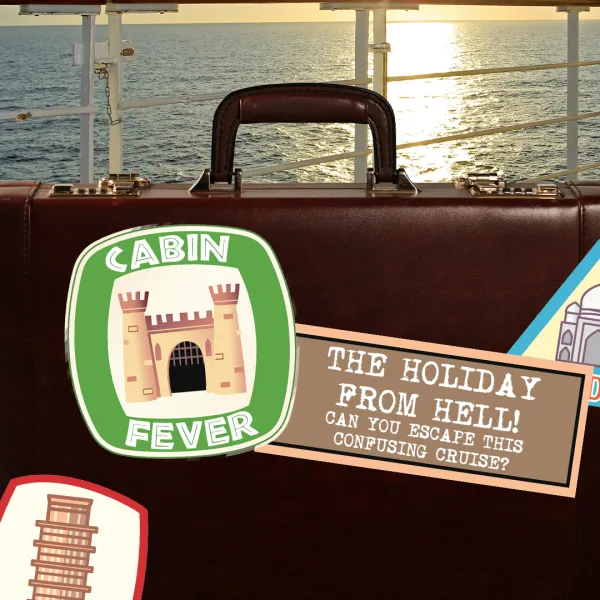
Cabin Fever
You wake up on a cruise ship as the only passengers. Solve the puzzles to make your way through the ship and get yourself back on dry land!

The Missing
Four missing people have disappeared in mysterious circumstances. You and your team must find out what happened to them whilst avoiding suffering the same fate!
Part of our guide to Virtual Escape Rooms for Teams & Groups.